
- Four screens, three minutes. Price check, transfer, credit, withdraw. That is the whole thing.
- You see the amount before you send. The You receive line is the number that lands on your balance.
- The gift goes to @Quibill. Spelled exactly like that. Anyone else asking for your gift is not Star Ledger.
- Open the bot first. A gift from an account that has never opened @StarLedgerBot cannot be matched to you.
- Telegram takes a small Stars fee to transfer. Star Ledger takes nothing from the amount shown.
Most guides describe selling a gift. This one shows it. Below are the actual screens from the Star Ledger app, in the order you will meet them, with the one thing to check on each. If you have a collectible gift sitting on your profile, you can follow along and be done before you finish reading.
Before you start
Three things, thirty seconds:
- Your gift must be a collectible. Collectible gifts, also called unique or upgraded gifts, have a serial number, a rarity, and a link that looks like
t.me/nft/Name-12345. Regular gifts cannot be transferred and so cannot be sold. If your gift page has a Transfer button, it qualifies. - Open @StarLedgerBot once. Tap Start. That registers your account, which is how the incoming gift gets matched to you. Skip this and the gift arrives with nobody to credit.
- Have a few Stars. Telegram charges a small fee in Stars to transfer a collectible gift, 25 Stars at the time of writing. That fee goes to Telegram, not to Star Ledger.
Step 1. Check the price
In the bot, tap Open Star Ledger. The app opens on the Ledger tab. Scroll to the Sell Gift NFT card and tap Check Price.
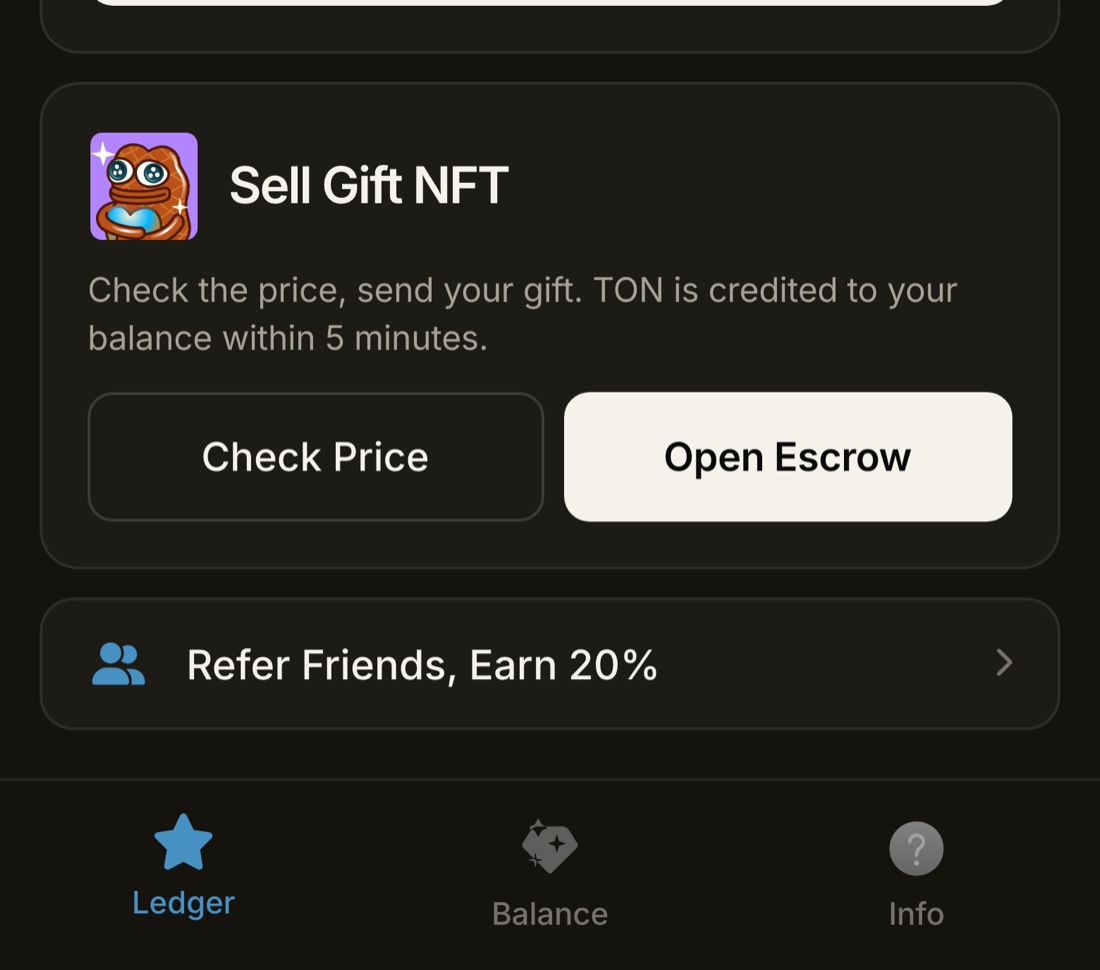
A sheet slides up asking for the gift link. Get it from the gift itself: open your profile, tap Gifts, tap the gift, and use Share or copy the link. Paste it. The app reads the collection and model, looks up the live market, and shows one line: You receive.
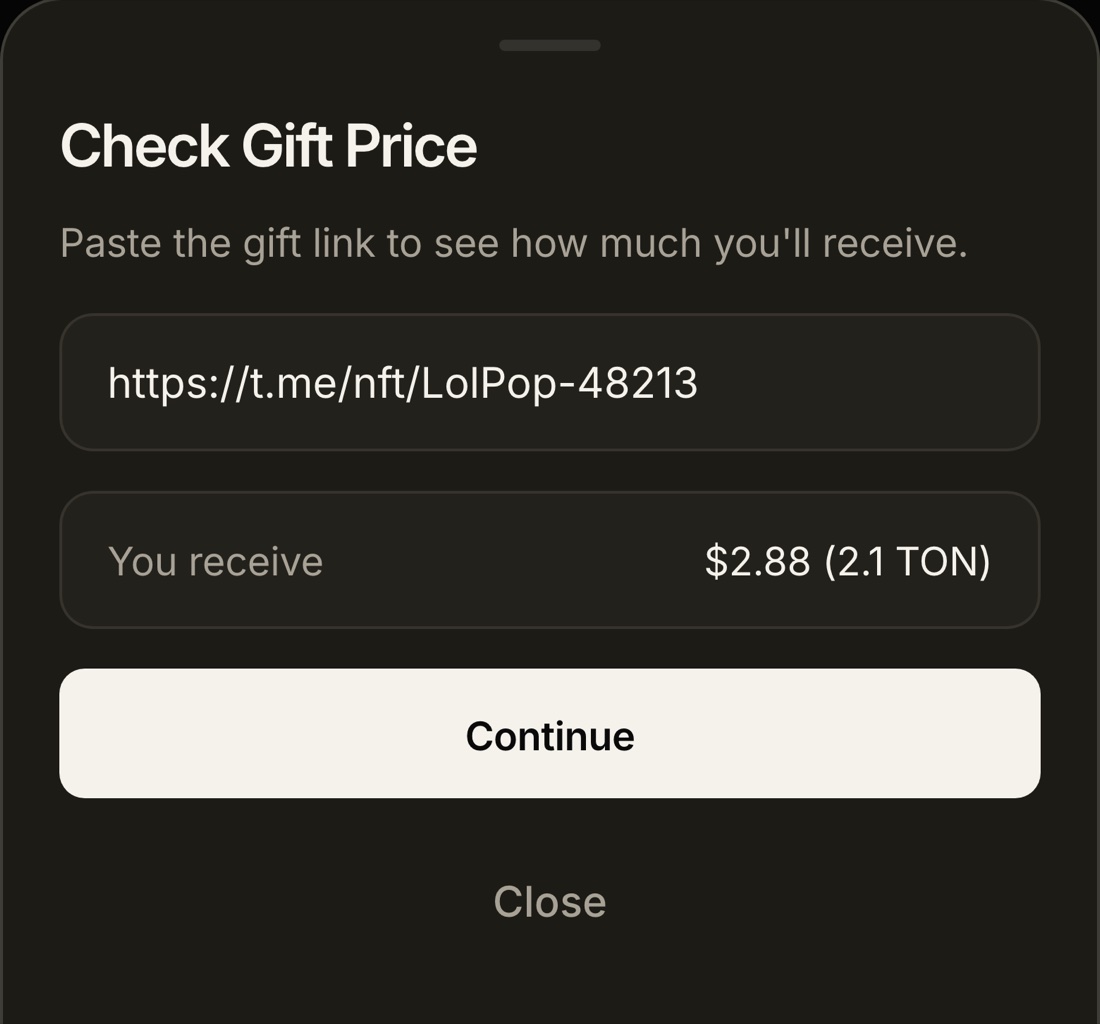
That is your offer. It is calculated from the live floor price of your gift's collection, and it is shown to you before anything moves. If you do not like it, close the sheet. Nothing has happened and nothing will.
You can check five gifts and sell none. The gift stays in your account until you personally transfer it in Telegram.
Step 2. Transfer the gift to @Quibill
Happy with the amount? Tap Continue. The confirmation sheet repeats the three facts that matter: which gift, what you receive, and where to send it.
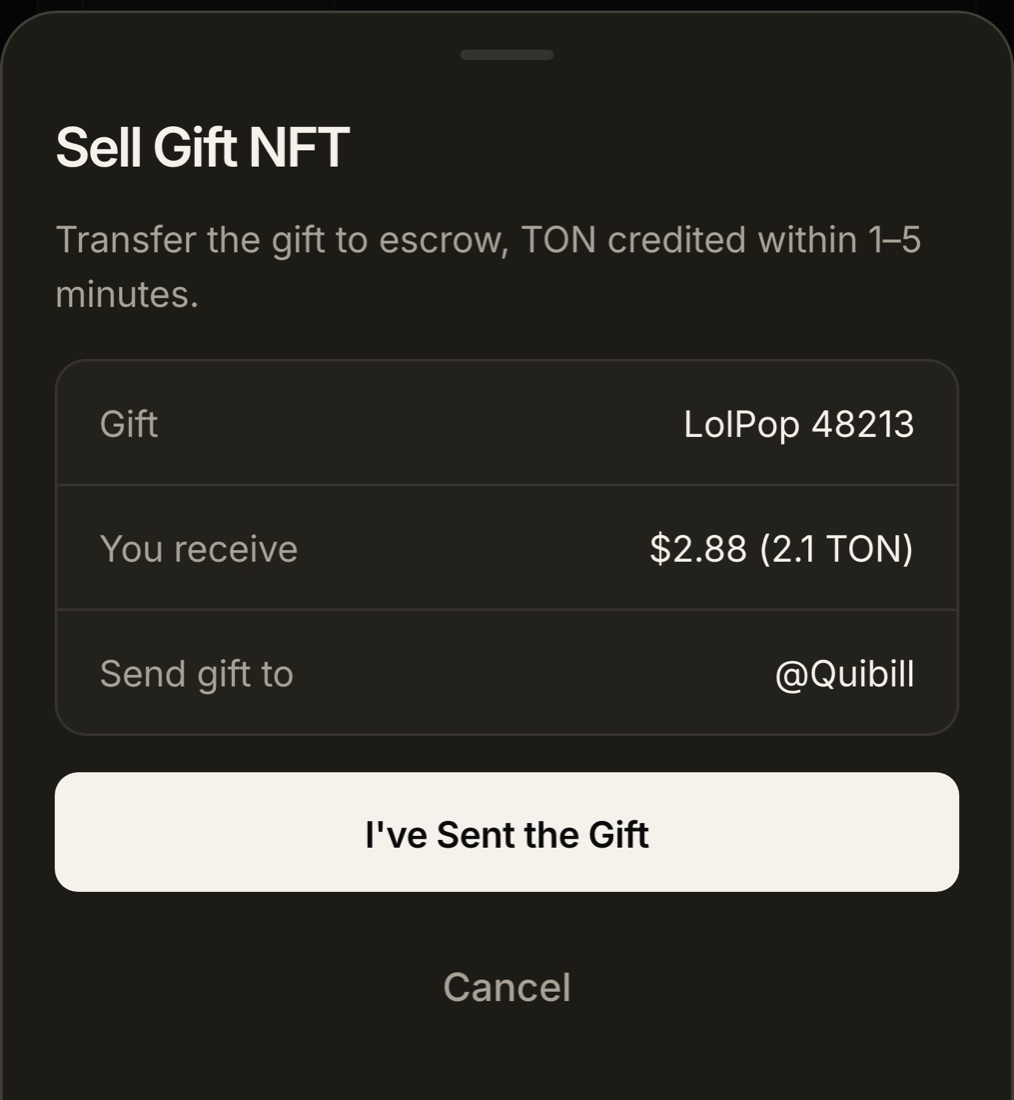
Now the transfer, which happens inside Telegram itself, not in the app. Tap Open Escrow and Telegram opens the Quibill chat, or do it by hand:
The gift leaves your profile and appears on Quibill's. That is the moment Star Ledger's monitoring sees it.
Step 3. Wait for the credit
Back in the app, tap I've Sent the Gift. This tells the system to expect it. Within 1 to 5 minutes, usually closer to one, the bot messages you that the gift was received and the TON has been credited. Open the Balance tab and it is there.
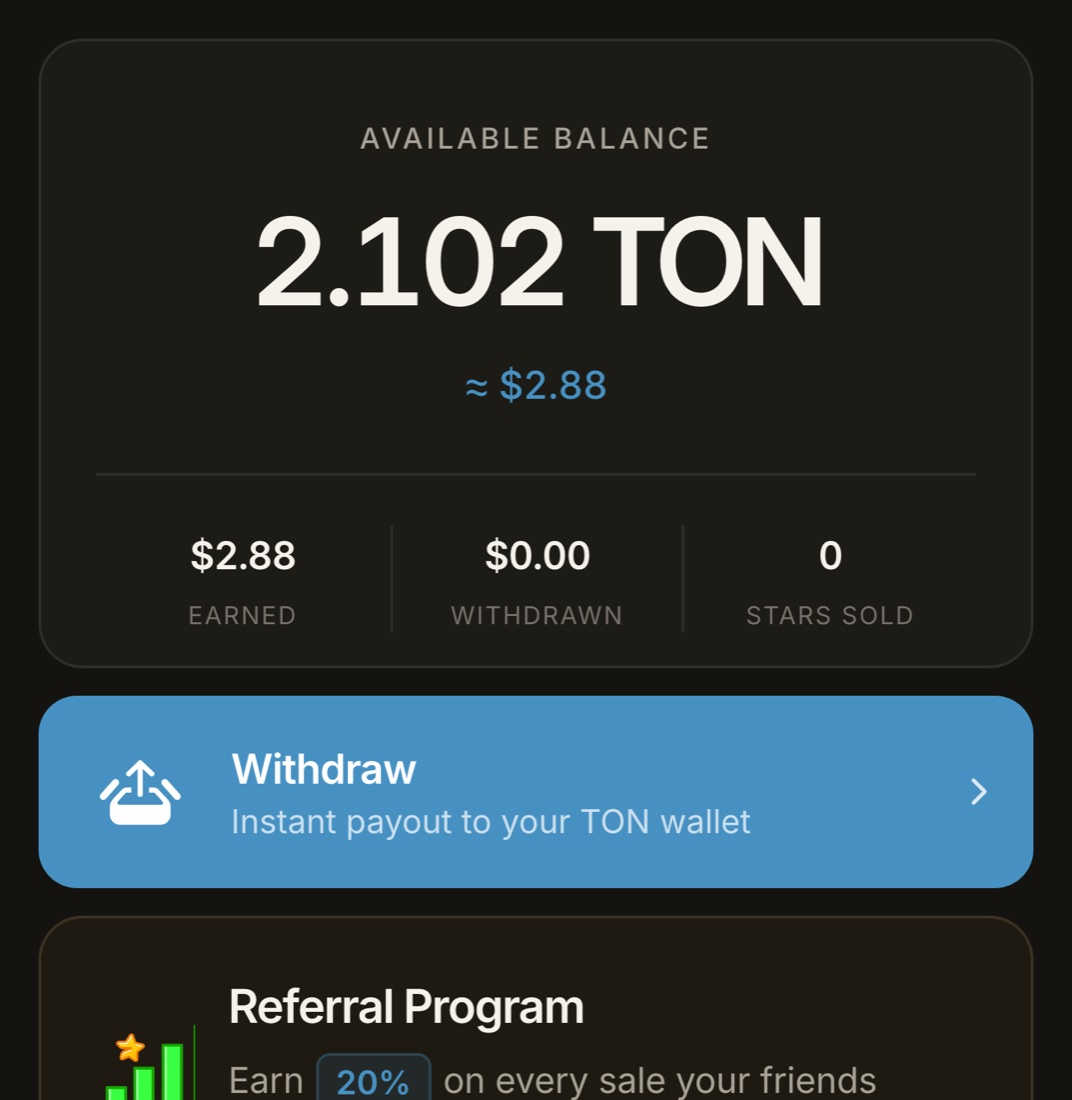
You can stop here. The balance stays in Star Ledger for as long as you like, and you can add more sales to it before withdrawing.
Step 4. Withdraw to your wallet
Tap Withdraw. Paste a TON address, the kind that starts with UQ or EQ, from any wallet: Tonkeeper, TON Space inside Telegram, MyTonWallet, or an exchange deposit address. Confirm.
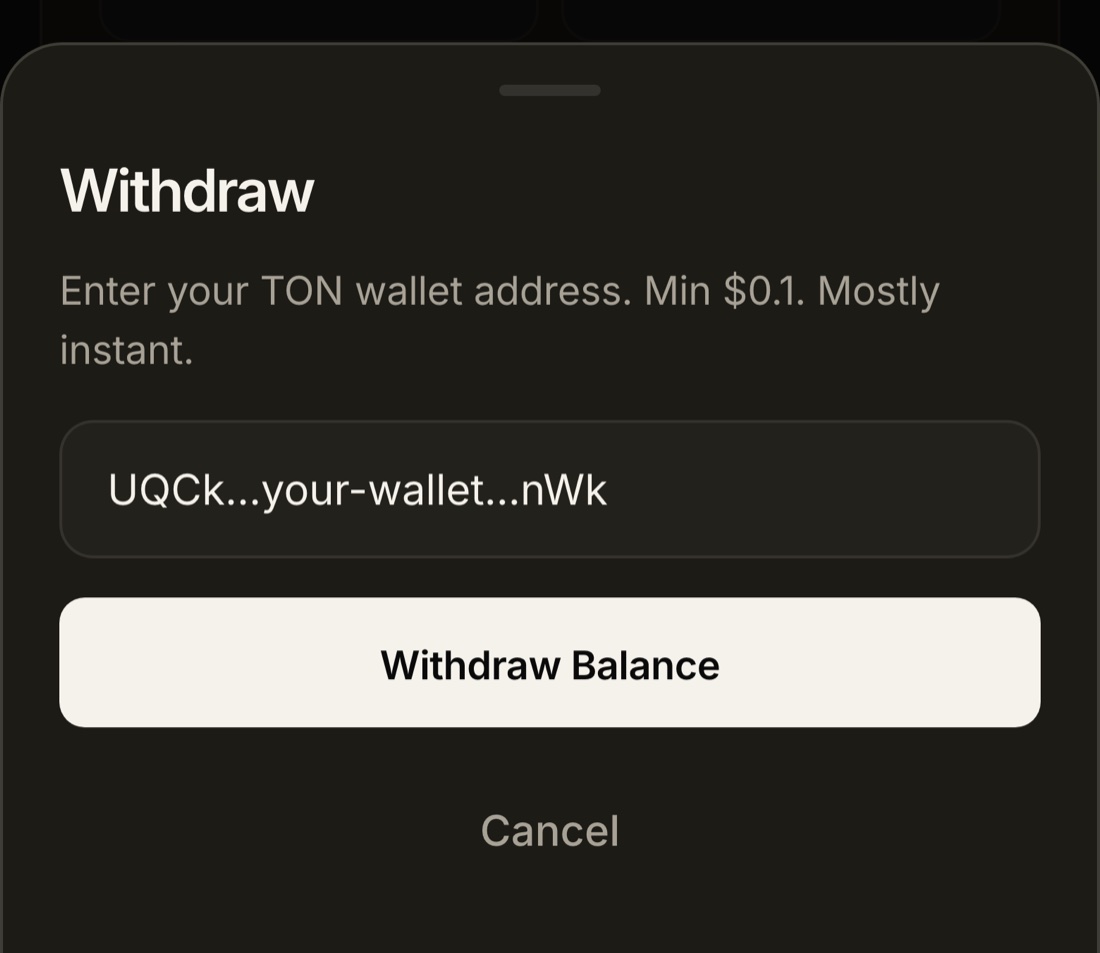
Withdrawals are instant for most users. Occasionally one is held for a check, in which case the bot tells you. Once the TON is in your wallet, it is yours to keep, swap to USDT in a couple of taps, or sell for local currency on an exchange.
Checking the price takes twenty seconds and commits you to nothing.
What can go wrong, and the fix for each
- No Transfer button on the gift. It is a regular gift, not a collectible. It cannot be transferred by anyone, so it cannot be sold. Some regular gifts can be upgraded to collectibles from the gift page, for a Stars fee, after which they can.
- The app says the price was not found. Your gift's collection has no floor price yet, or the link was pasted incorrectly. Check the link format,
t.me/nft/Name-Number. If it is right and still not found, send it anyway and it is priced on arrival. - Sent to the wrong account. A transfer to a lookalike of Quibill goes to a stranger and cannot be recovered by anyone. The bot names the escrow account on the confirmation sheet; send only to that.
- Sent before opening the bot. The gift arrives, but there is no account to credit. Open @StarLedgerBot, tap Start, then message support with the gift link and it is matched by hand.
- Nothing after five minutes. Rare, and almost always the point above. Message support with the gift link.
- The price moved between the check and the transfer. Your offer is locked when you tap Continue, not when the gift is detected. A dip in the market after that is not your problem.
Common questions
Does Star Ledger charge a fee to sell a gift?
No. The TON amount shown at the price check is the amount credited to your balance. Telegram itself charges a small fee in Stars to transfer a collectible gift, which you pay to Telegram when you send it, not to Star Ledger.
Which Telegram gifts can I sell?
Any collectible gift, also called a unique or upgraded gift, that has a serial number and a floor price on the marketplace. Regular gifts that have not been upgraded cannot be transferred and so cannot be sold.
How long does it take?
Checking the price takes about 20 seconds, the transfer inside Telegram about a minute, and the credit arrives within 1 to 5 minutes of the gift reaching escrow. Withdrawal to your TON wallet is instant for most users.
Do I have to check the price first?
It is strongly recommended, because it locks your offer. Sending a gift to @Quibill without checking will still be priced and credited on arrival, but you will not know the amount in advance.
What if nothing arrives after five minutes?
Make sure you had opened @StarLedgerBot at least once before sending, so the system can match the gift to your account, then message support at t.me/BTCadmins with the gift link.
For how the pricing itself works, what a floor price is and why the offer is what it is, read how Telegram gift NFT selling works. For the product page with current details, see Sell Telegram Gift NFTs.